





Appointments, last 30 days
- 165appointments booked
- 117confirmed
- 2rescheduled
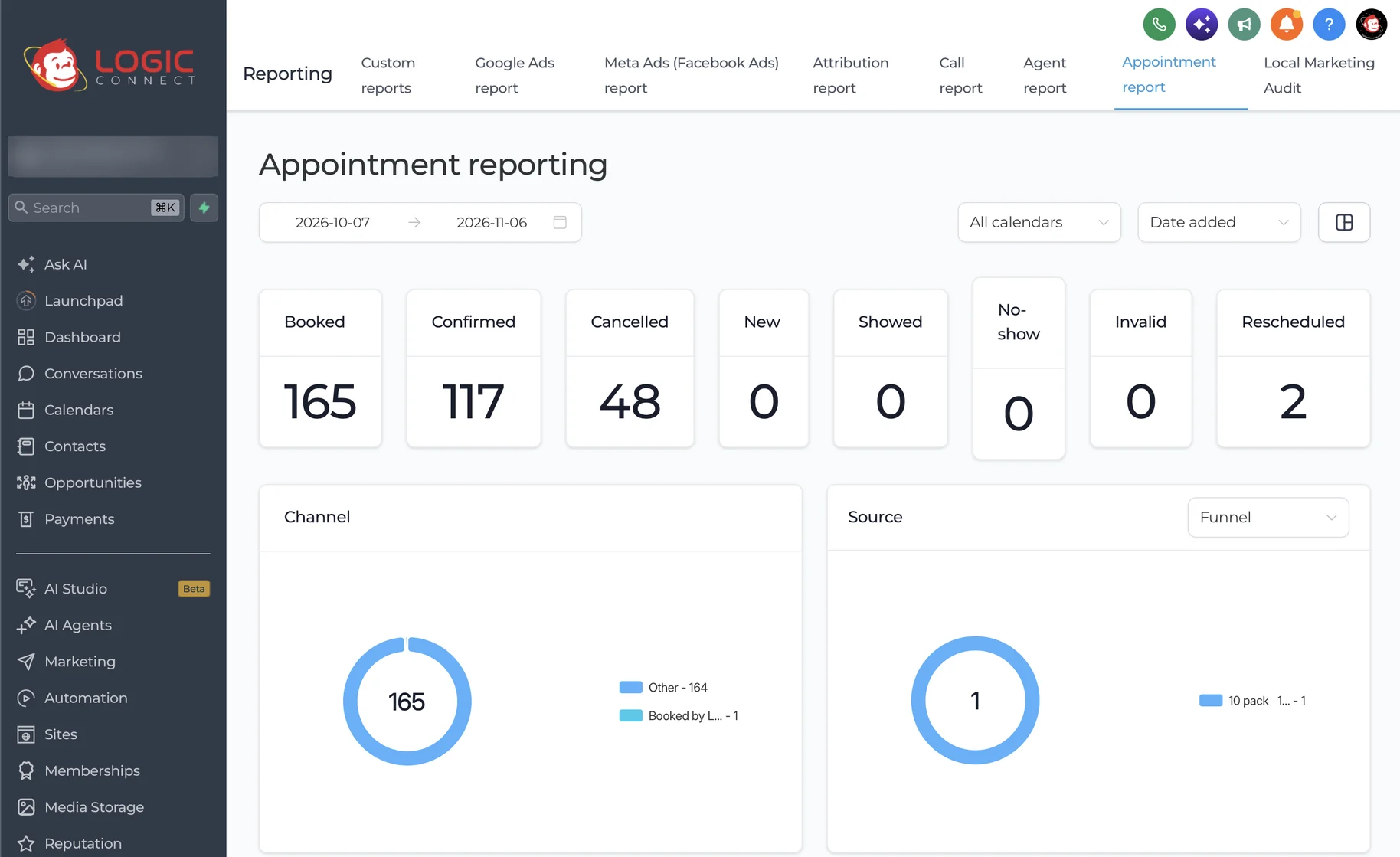
Bookings and confirmations run through Logic Connect calendars and automated reminders.
Leads, calls, texts, email, booking, reviews, and reporting in one place, with automated follow-up that runs on its own. We set it up, move your contacts in, and train your team.

In short
Logic Connect is a CRM and marketing automation platform from Logic Web Media. It puts every lead and conversation in one inbox and one pipeline, then automates the follow-up: texts, emails, appointment reminders, review requests, and missed-call text back. It connects to your website, Google and Meta ads, phone, and social accounts, and it includes funnels, forms, AI agents, and reporting. We set it up for your business, migrate your contacts, and train your team.
Problems we solve
Calls, texts, forms, chats, and ad leads go to one inbox and one contact record.
Missed-call text back replies within seconds, so the caller has a reason not to call the next business.
Automated text and email sequences keep going until the lead books or opts out.
Booking confirmations and reminders go out on their own, by text and email.
Review requests go out after each visit, and new reviews show up in the inbox for a reply.
Ad, call, appointment, and attribution reports show where each lead came from.
One inbox
Calls, texts, emails, web chats, Facebook and Instagram messages, Google Business Profile chats, and ad leads all land in the same inbox. Your team replies from one screen, and every conversation is saved to the contact.
Features
Everything below comes in one platform, set up for how your business works.
Every contact, conversation, and deal in one place, with pipeline stages you can see at a glance.
Calls, texts, email, web chat, Facebook, Instagram, and Google Business Profile messages in one inbox.
Reply from your desk or phone, and send campaigns to segmented lists.
Online booking with confirmations, reminders, and calendar sync.
Follow-up sequences, lead routing, task reminders, and custom automations triggered by what customers do.
An automatic text goes out when a call is missed, so the conversation keeps going.
Automated review requests, review monitoring, and replies from one screen.
Landing pages, funnels, forms, surveys, and quizzes that send leads straight into the CRM.
AI assistants that answer, qualify, and book across chat, text, and phone.
Invoices, payment links, packages, and memberships tied to each contact.
Google Ads, Meta ads, call, appointment, and attribution reports in one dashboard.
Reply to leads, check your calendar, and move deals from your phone.
Setup
Switching systems is the hard part, so we handle it. Your team logs in to a CRM that is already built around your business.
We set up your pipelines, calendars, forms, and automations around how you sell.
We move your contacts and history from your current tools and spreadsheets.
We connect your website, phone numbers, email, social accounts, and Google and Meta ads.
We train your team and stay available for questions after launch.
How it works
Most businesses are set up and using Logic Connect within a few weeks.
We learn how leads reach you today, what tools you use, and where follow-up breaks down.
We map your pipelines, calendars, automations, and the contacts to bring over.
We set up the account, forms, booking, and workflows for your business.
Contacts move in, and your website, phone, ads, and social accounts are connected.
Your team learns the inbox, pipeline, and mobile app.
We adjust automations and add features as your business grows.
Results
A Long Island swim and endurance training facility runs bookings, prepaid packages, follow-up, and funnels in Logic Connect.
Appointments, last 30 days
Bookings and confirmations run through Logic Connect calendars and automated reminders.
Package funnel
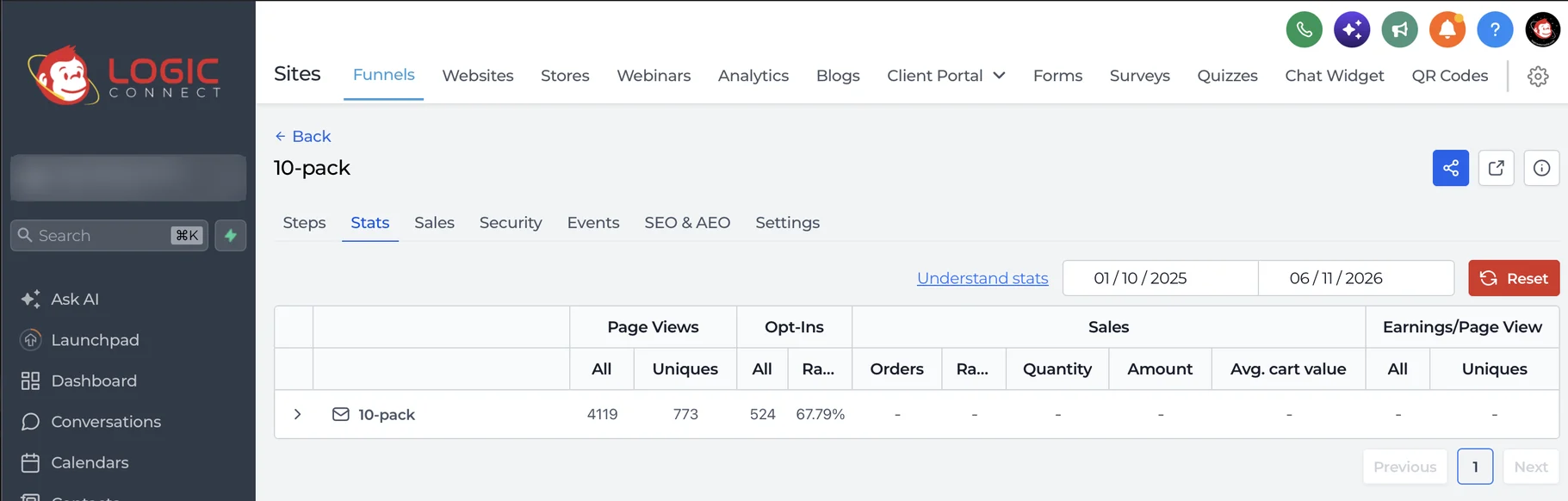
A single-session funnel converts at 56.79%, with 138 sign-ups from 243 unique visitors.

Automation
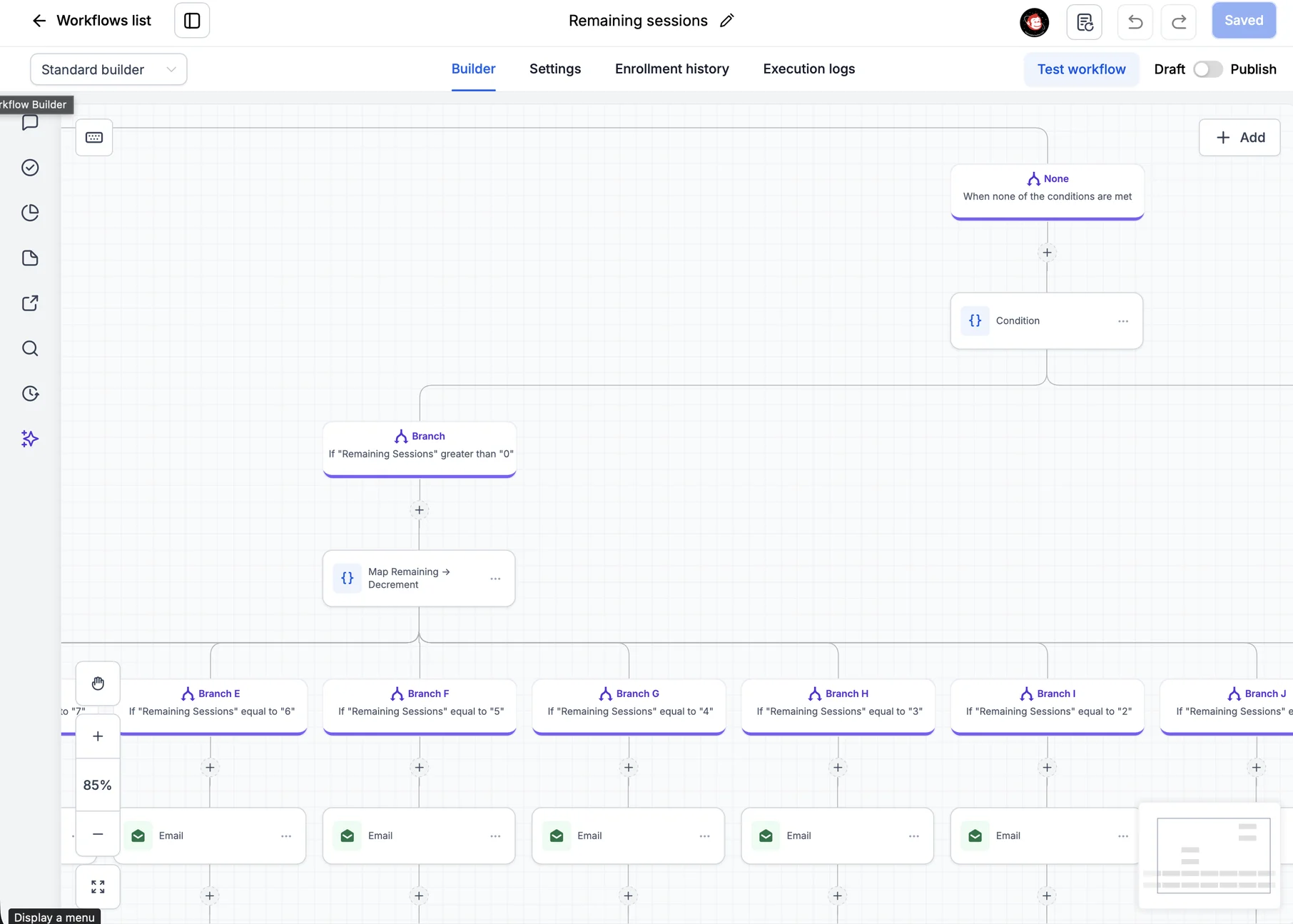
2,700+workflow enrollments across 33 workflows. One counts down each client's prepaid sessions and emails them as their package runs low.
Integrations
Logic Connect works with your ads, calendars, payments, and website.
One platform
Most small businesses piece together a CRM, a texting app, an email tool, a booking app, and a review tool. Logic Connect does all of it in one login.
| Logic Connect | Separate tools | |
|---|---|---|
| Contacts and leads | One record per customer | Copies in each app |
| Conversations | One inbox for every channel | A different app per channel |
| Follow-up | Automated across text and email | Manual, or set up in each tool |
| Booking and reminders | Built in | A separate scheduling app |
| Reviews | Requests and replies built in | A separate review tool |
| Reporting | One dashboard from ad to booking | Exported and pieced together |
| Logins | One | Five or more |
Industries we serve
Service area
Two offices and one in-house team, working with businesses across Long Island.
Huntington Station Office
710 E Jericho TpkeNorth Shore · Call or text (631) 824-3390
Areas we serve
Suffolk County, Nassau County, and all of Long Island, including Bay Shore, Islip, Babylon, Smithtown, Hauppauge, Melville, Huntington, and Garden City.
FAQ
Most businesses are set up and using Logic Connect within a few weeks. Timing depends on how many pipelines, calendars, and automations you need and how much data we bring over.
Yes. We migrate your contacts and history from your current CRM, email tool, or spreadsheets as part of setup.
Your website, phone numbers, email, Facebook, Instagram, Google Business Profile, Google and Meta ads, calendars, Stripe, QuickBooks, and hundreds of other apps through Zapier.
Yes. The Logic Connect app for iPhone and Android lets you reply to messages, check your calendar, and update deals from your phone.
Yes. Training is included, and we stay available for questions after launch.
Yes. Leads from Google Ads and Facebook and Instagram ads flow into your pipeline for instant follow-up, and the reports show which campaigns booked appointments.
Yes. AI assistants can answer, qualify, and book leads across chat, text, and phone, and every conversation is saved in Logic Connect.
Related services
Start a project
Tell us what tools you use today and where leads slip through. We'll show you how Logic Connect would work for your business.